

 Česky (CZK)
 Deutsch (EUR)
 Slovensky (EUR)
 Polski (PLN)
 Italiano (EUR)
What's new in HomeAssistant 2025.10
What's New in Home Assistant 2025.10: Undo/Redo, Image Generation, and Smarter Automations
1. Enhanced Automation Editor: Finally with Undo/Redo Function
The long-awaited Undo/Redo feature is finally here! The automation editor now allows you to undo up to 75 steps using new buttons or standard keyboard shortcuts (Ctrl+Z and Ctrl+Y). This means no more frustrating moments when you had to close an entire automation and start over due to a mistake.
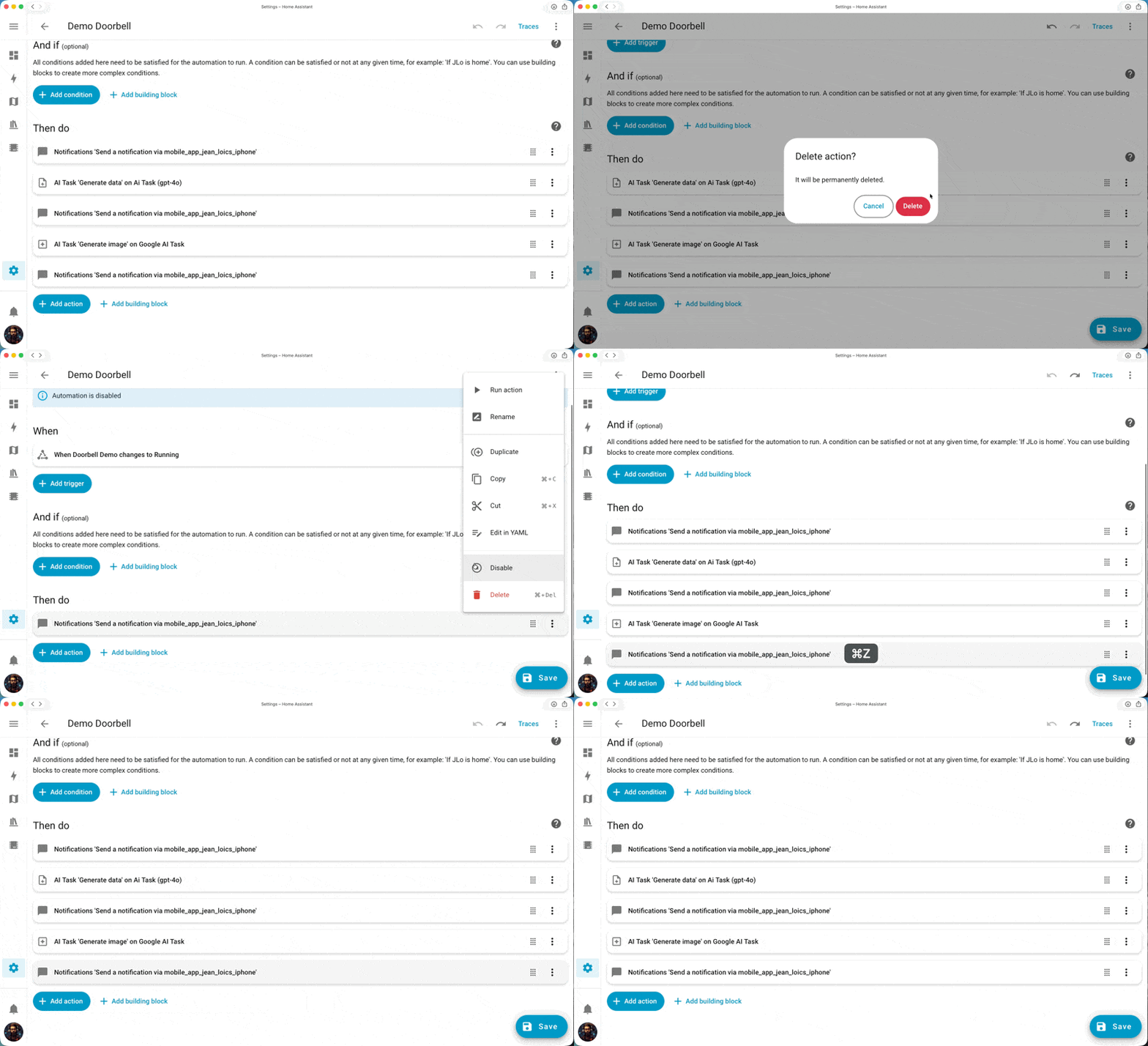
Additional automation editor improvements:
-
Resizable sidebar: When working on complex actions, you can expand the side panel for more comfortable YAML field editing
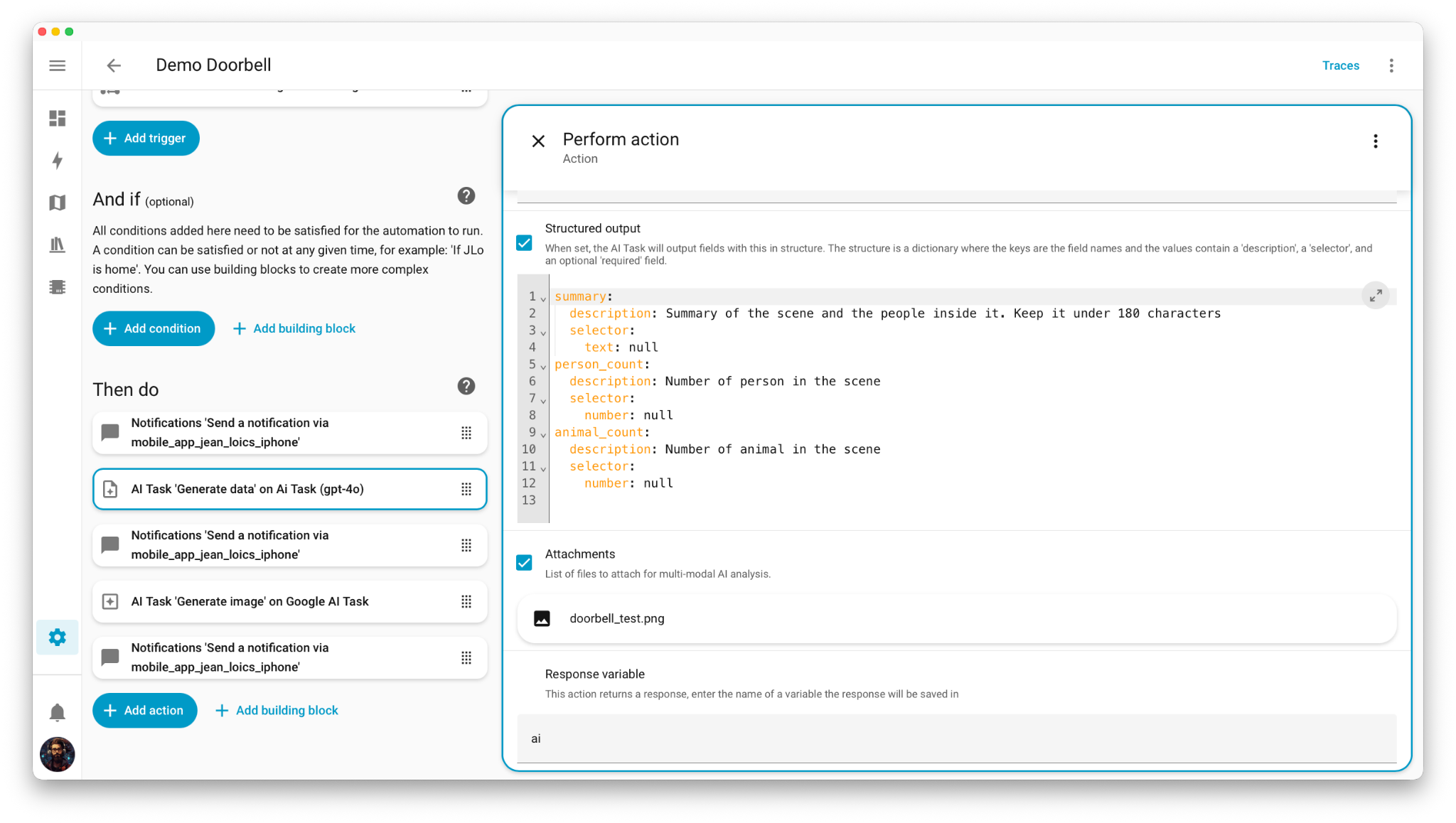
-
Improved copy and paste: New Ctrl+V allows easy pasting of blocks under the currently selected element
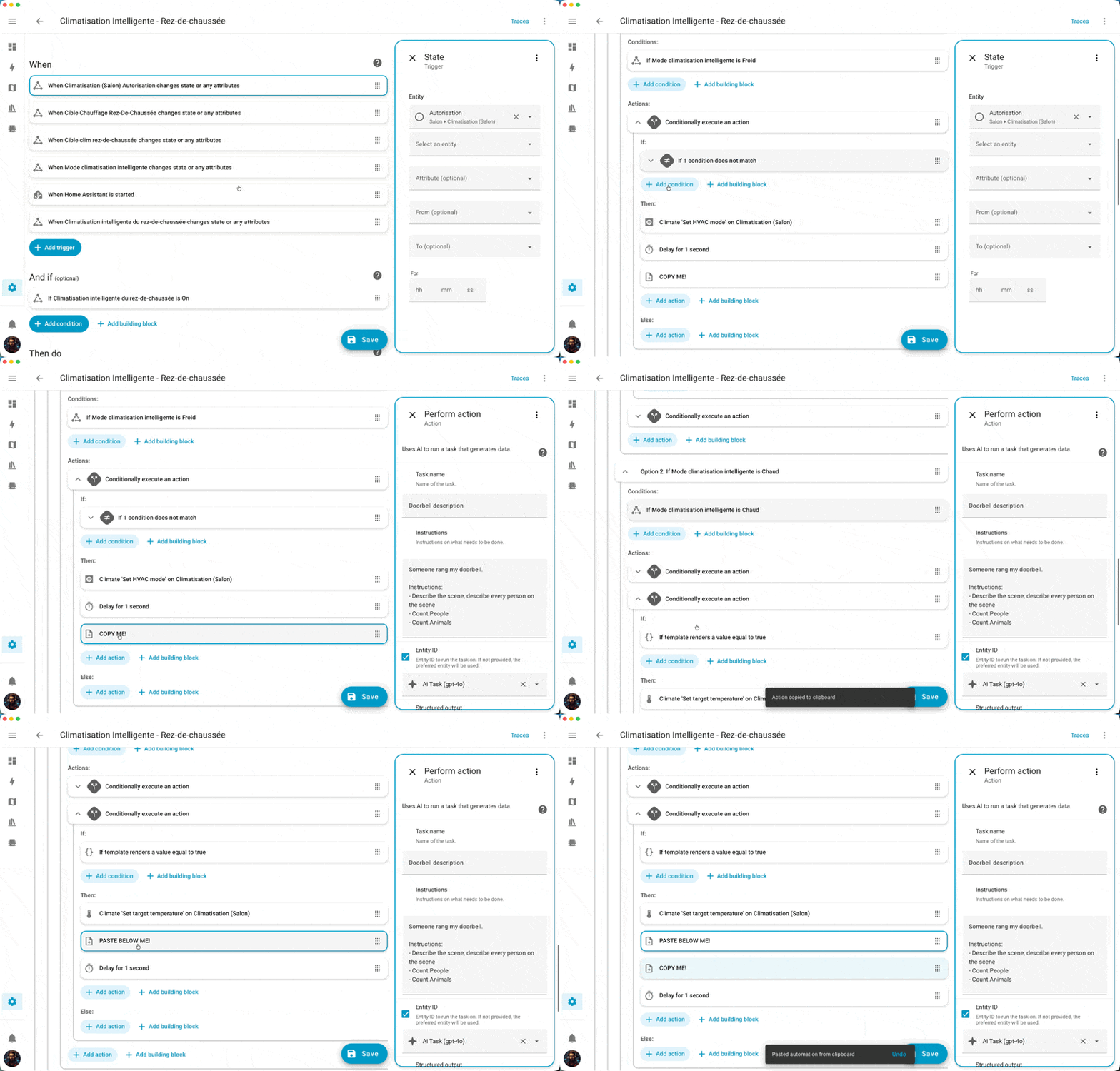
-
Return of overflow menu: Following community feedback, the context menu with options like testing conditions or running actions has returned
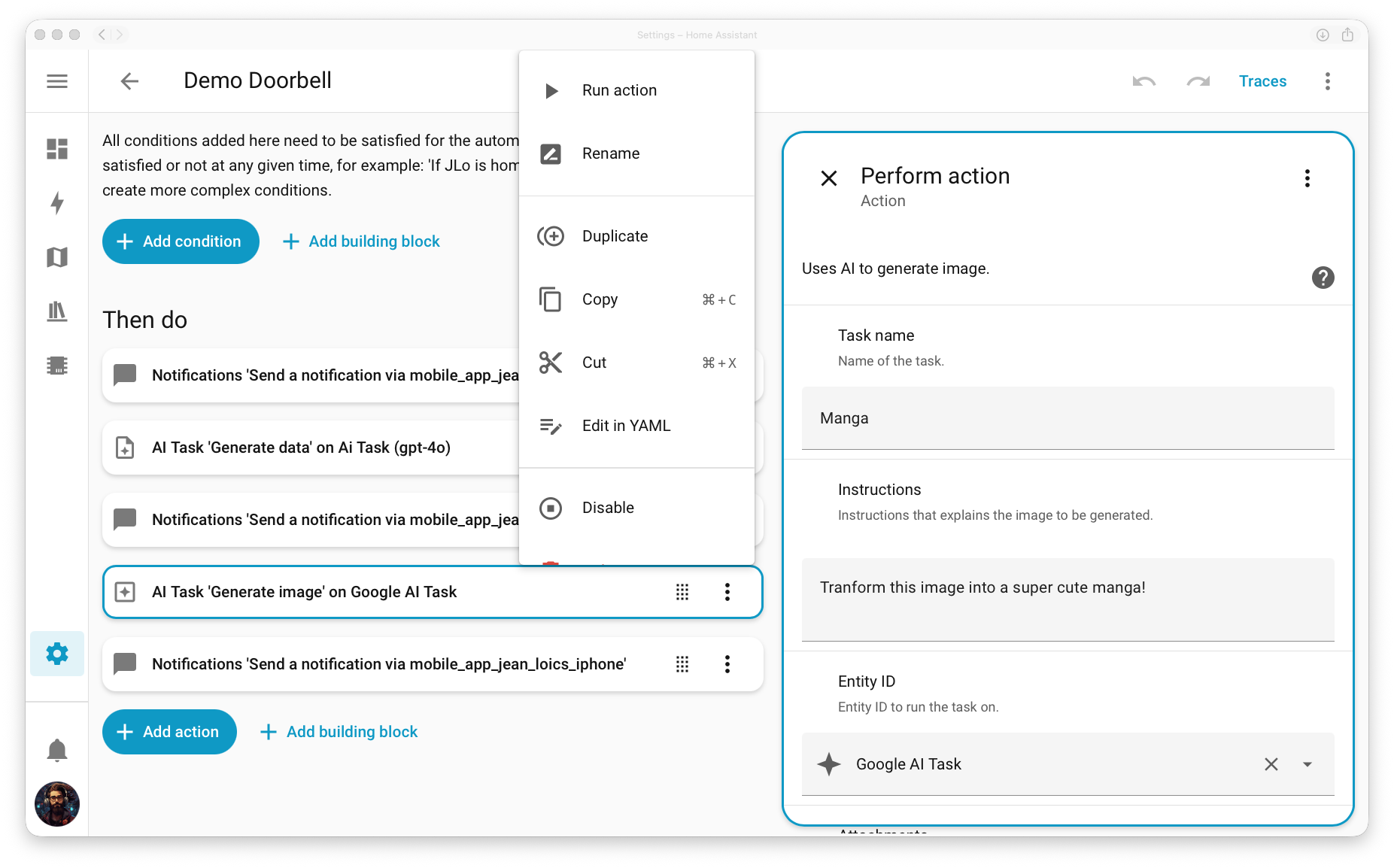
-
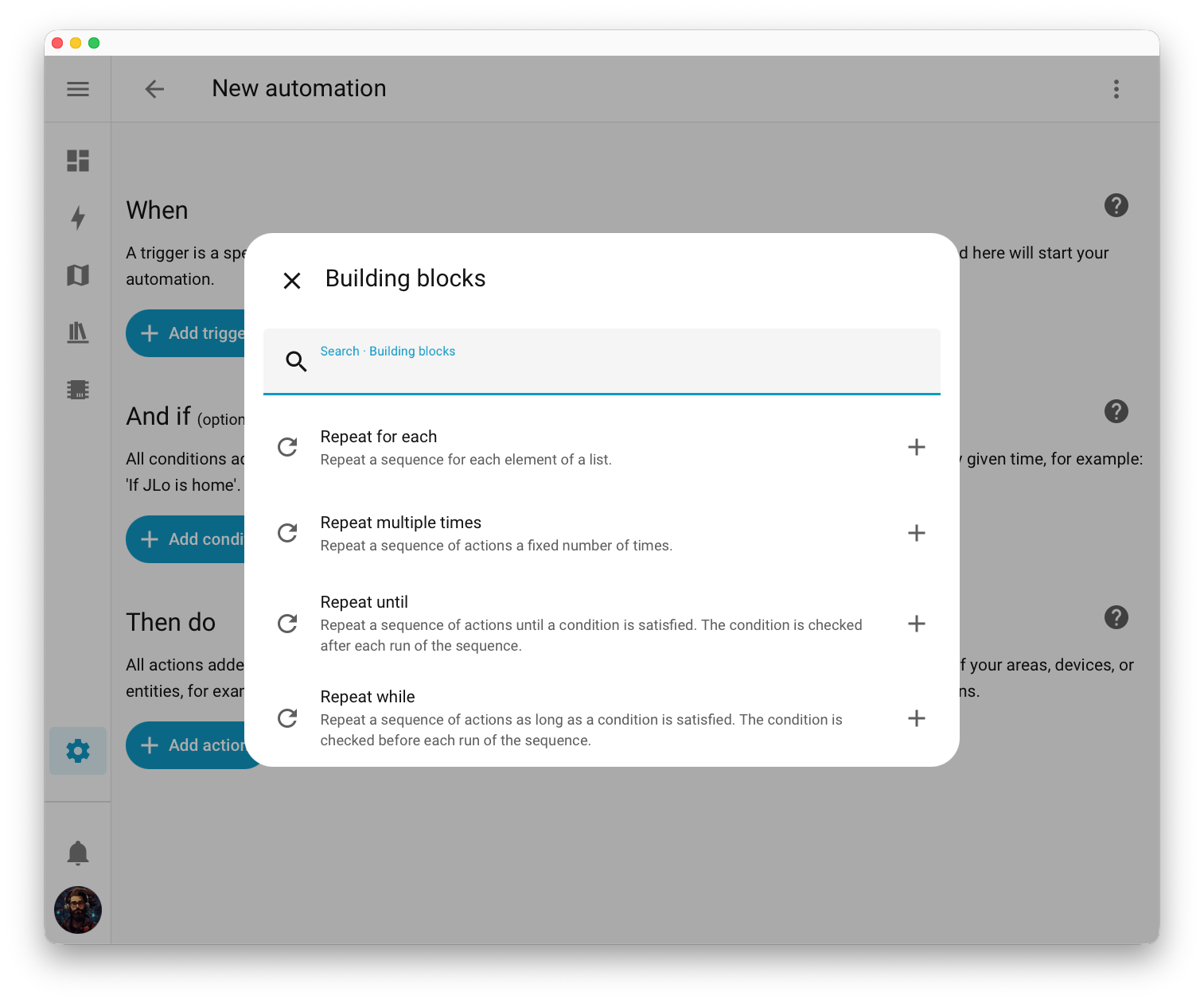
Split Repeat blocks: The complex "repeat" block has been divided into four clearly defined variants for better understanding
2. AI Task Now Generates Images
In addition to text generation, AI Task can now create images! You can set up an automation that creates a cartoon image from a camera snapshot when the doorbell rings and sends it as a notification. The possibilities are virtually endless.
Detail of automation is here:
alias: Demo Doorbell
triggers:
- trigger: state
entity_id:
- binary_sensor.doorbell_demo
to: "on"
actions:
- action: notify.mobile_app_iphone
data:
title: "🔔 Doorbell "
message: Processing image ...
data:
tag: doorbell
- action: ai_task.generate_data
data:
task_name: Doorbell description
instructions: |-
Someone rang my doorbell.
Instructions:
- Describe the scene, describe every person on the scene
- Count People
- Count Animals
entity_id: ai_task.ai_task_gpt_4o
structure:
summary:
description: >-
Summary of the scene and the people inside it. Keep it under 180
characters
selector:
text: null
person_count:
description: Number of person in the scene
selector:
number: null
animal_count:
description: Number of animal in the scene
selector:
number: null
attachments:
media_content_id: media-source://media_source/local/doorbell_test.png
media_content_type: image/png
metadata:
title: doorbell_test.png
thumbnail: null
media_class: image
children_media_class: null
navigateIds:
- {}
- media_content_type: app
media_content_id: media-source://media_source
response_variable: ai
- action: notify.mobile_app_iphone
data:
title: >-
🔔 Doorbell ({{ai.data.person_count}} 🧑🏻🦱 / {{ai.data.animal_count}}
🐊)
message: "{{ai.data.summary}}"
data:
tag: doorbell
- action: ai_task.generate_image
data:
task_name: Manga
instructions: Transform this image into a super cute manga!
entity_id: ai_task.google_ai_task
attachments:
media_content_id: media-source://media_source/local/doorbell_test.png
media_content_type: image/png
metadata:
title: doorbell_test.png
thumbnail: null
media_class: image
children_media_class: null
navigateIds:
- {}
- media_content_type: app
media_content_id: media-source://media_source
response_variable: ai_image
enabled: true
- action: notify.mobile_app_iphone
data:
title: >-
🔔 Doorbell ({{ai.data.person_count}} 🧑🏻🦱 / {{ai.data.animal_count}}
🐊)
message: "{{ai.data.summary}}"
data:
tag: doorbell
image: http://homeassistant.local:8123{{ai_image.url}}
enabled: true
mode: single
3. Smarter Dashboards with Entity Suggestions
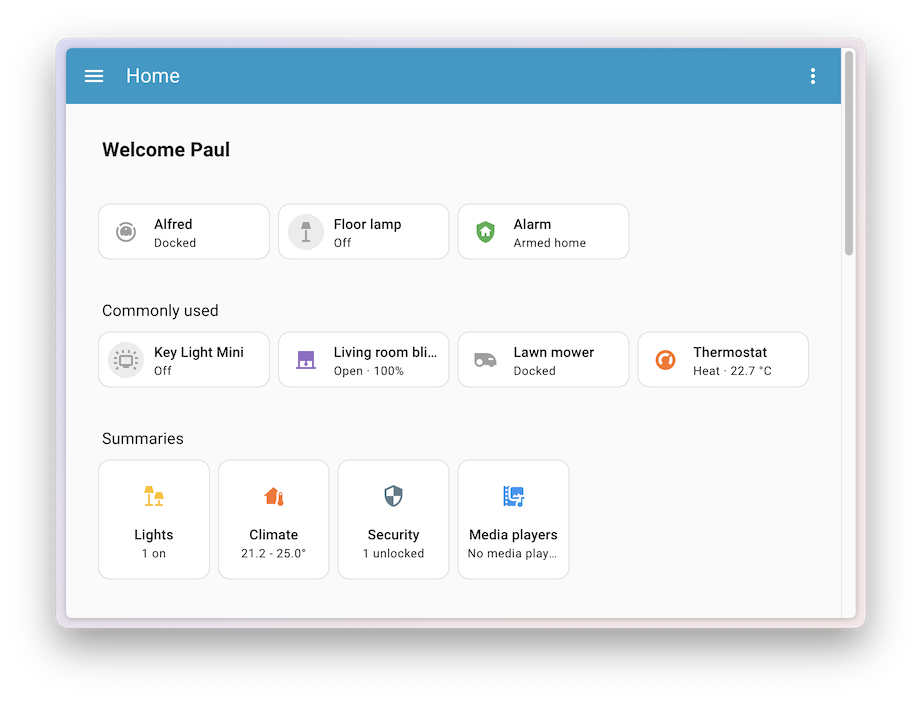
The experimental Home dashboard gains a new predictive entities feature. The system analyzes your behavior and suggests entities you most frequently interact with at given times of day. For example, it might offer coffee maker control in the morning, living room lighting in the evening.
4. Extended Voice Assistant Support
Multiple Wake Words
ESPHome voice assistants now support two different wake words with the ability to assign different assistants. Perfect for multilingual households – for example "Okay Nabu" for French and "Hey Jarvis" for English.
Smart Confirmation
If a voice command controls only devices in the same room as the voice assistant, the system plays a short audio signal instead of verbal confirmation.
5. New Integrations
-
Compit: Climate, ventilation, and heating control
-
Cync: Smart GE lighting (formerly C by GE)
-
Droplet: Real-time water consumption monitoring
-
ekey bionyx: Biometric access systems
-
Portainer: Docker container management
-
Victron Remote Monitoring: Victron Energy solar systems
6. Improvements to existing integrations
-
Philips Hue: Support for MotionAware sensors for the new Hue Bridge Pro
-
LG ThinQ: New energy consumption sensors
-
Litter-Robot: Extended features for model 4 including feed monitoring
-
Reolink: Support for Home Hub sirens and color temperature settings
-
Shelly: Massive update with new sensors and features
7. Other useful improvements
-
New media player dialog: redesigned interface with better controls and album cover display
-
Synchronized graph zooming: in history, all graphs zoom simultaneously
-
Toolbar for editors: YAML and template editors have received a new panel with buttons for undo/redo and copy
-
Analog clock: option for smooth movement of the second hand
8. Changes affecting backward compatibility
Before updating, check the compatibility of your automations and integrations. Some integrations require new authentication settings or configuration adjustments.
Conclusion
Home Assistant 2025.10 is another significant step towards more perfect home automation. The improved automations editor with undo/redo, AI-powered image generation, and smarter dashboards make working with Home Assistant even more intuitive and powerful.]
Discussion