

 Česky (CZK)
 Deutsch (EUR)
 Français (EUR)
 Italiano (EUR)
 Polski (PLN)
 Slovensky (EUR)
 Magyar (HUF)
Which Zigbee coordinator in 2026? SMLIGHT, ZBT-2 and more compared
Updated: September 2026
Which Zigbee coordinator should you buy in 2026? For most Home Assistant setups a USB stick on an extension cable is all you need. If your server sits in a cabinet or basement, a coordinator connected over Ethernet or PoE can be placed where the radio actually reaches your devices. And if you also want Thread for Matter devices, a multi-radio coordinator runs Zigbee and Thread side by side. This guide explains the differences and helps you pick the right model – from the official Home Assistant Connect ZBT-2 to the SMLIGHT SLZB range.
What does a Zigbee coordinator do?
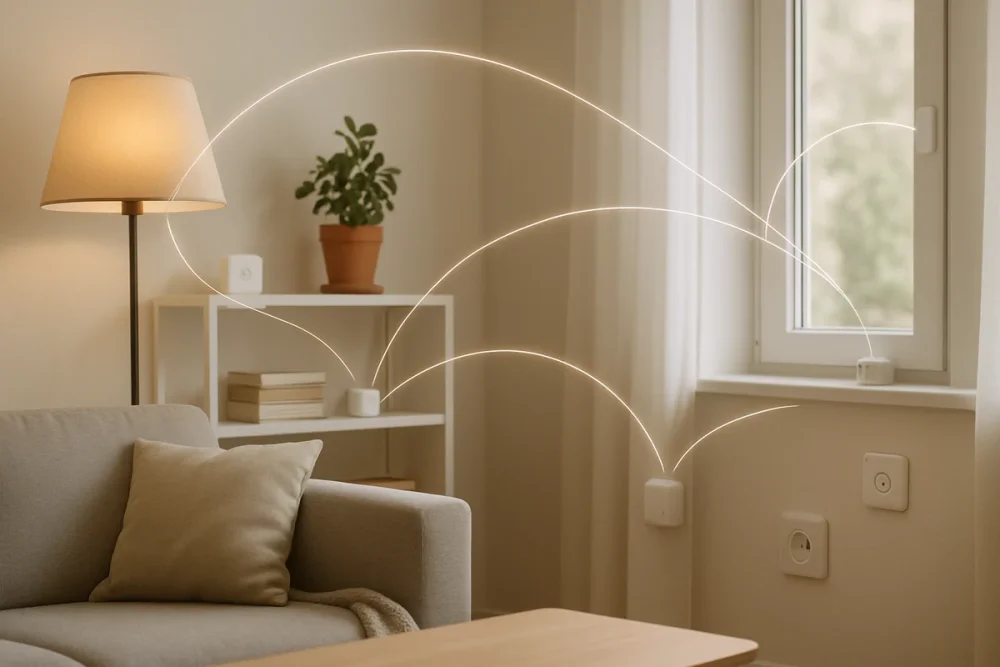
A Zigbee coordinator is the radio that creates and manages your Zigbee network. Every Zigbee network has exactly one coordinator: it starts the network, lets new devices join and passes all messages between your sensors, switches and lights and Home Assistant. Mains-powered devices such as smart plugs usually act as routers – they extend the mesh, but they cannot replace the coordinator. Without a coordinator, Home Assistant cannot talk to Zigbee devices at all.
In Home Assistant the coordinator is used either by the built-in ZHA integration or by Zigbee2MQTT. Both work with the coordinators in this article.
USB, LAN or PoE – and why not Wi-Fi?
A USB coordinator plugs straight into the machine running Home Assistant; a network coordinator (LAN/PoE) sits anywhere in your home and talks to Home Assistant over Ethernet. Both are reliable. What the official documentation warns against is Wi-Fi: Home Assistant does not recommend running a coordinator through a serial-to-IP bridge over Wi-Fi, WAN or VPN, because the serial protocol cannot cope well with packet loss and delays. Zigbee2MQTT gives the same advice and recommends Ethernet if the adapter is not connected by USB.
- USB – simplest and cheapest. Home Assistant recommends a USB extension cable, a USB 2.0 port and keeping the stick away from USB 3.0 devices to reduce interference.
- Ethernet – the coordinator can sit in the middle of the house while Home Assistant runs in a cabinet, basement or on a virtual machine.
- PoE – Ethernet that also powers the coordinator, so one cable is enough.
- Wi-Fi – possible on some coordinators, but not recommended for the Zigbee connection itself.
Texas Instruments or Silicon Labs – does the chip matter?
Almost every modern coordinator uses a radio chip from Texas Instruments (TI, CC2652/CC2674 family) or Silicon Labs (EFR32MG21/MG24/MG26). Both families are supported by ZHA and by Zigbee2MQTT, and Zigbee2MQTT lists both as recommended. SMLIGHT's own guidance marks TI-based models as "best" for Zigbee2MQTT and Silicon Labs-based models as "best" for ZHA – with the other stack rated "good". In practice this means: both work, but if you already know which integration you will use, you can follow that recommendation.
Newer and larger chips mainly add memory and headroom. SMLIGHT states, for example, up to 200 devices for the CC2652P, 350 for the EFR32MG24 and 400 for the CC2674P10 – these are manufacturer figures, not test results. For a typical home any current chip is sufficient.
The coordinator families compared
Instead of comparing dozens of variants one by one, it helps to think in four families. Within a family the models differ mainly in the radio chip.
| Family | Connection | Radios | Best for | Examples |
|---|---|---|---|---|
| USB stick | USB | 1 (Zigbee or Thread) | Home Assistant box that can sit centrally | SLZB-07Mg24, SLZB-07p10, SONOFF Dongle Plus MG24, Home Assistant Connect ZBT-2 |
| Network, single radio | Ethernet, PoE, USB | 1 (Zigbee or Thread) | Server in a cabinet or basement, better placement | SLZB-06U, SLZB-06Mg24U, SLZB-06Mg26U, SLZB-06p10U |
| Network, multi-radio | Ethernet, PoE, USB | 2, running at the same time | Zigbee plus Thread/Matter, or two Zigbee networks | SLZB-MR3U, SLZB-MR4U, SLZB-MR5U |
| Hub | Ethernet, USB, optional PoE/4G | 2 + Wi-Fi/Bluetooth, add-ons | Enthusiasts and integrators who want one box for everything | SLZB-Ultima 3 |
USB sticks: ZBT-2, SLZB-07 and SONOFF
The Home Assistant documentation recommends the Home Assistant Connect ZBT-2 for new Zigbee networks. It uses a Silicon Labs MG24 radio and runs either Zigbee or Thread. SMLIGHT's SLZB-07 series is USB-only as well – no Ethernet, no Wi-Fi and no web interface – and comes with either a Silicon Labs chip (07, 07Mg24) or a TI chip (07p7, 07p10). A USB stick is the right choice whenever your Home Assistant machine can stand reasonably central in the house.
Network coordinators: SLZB-06…U
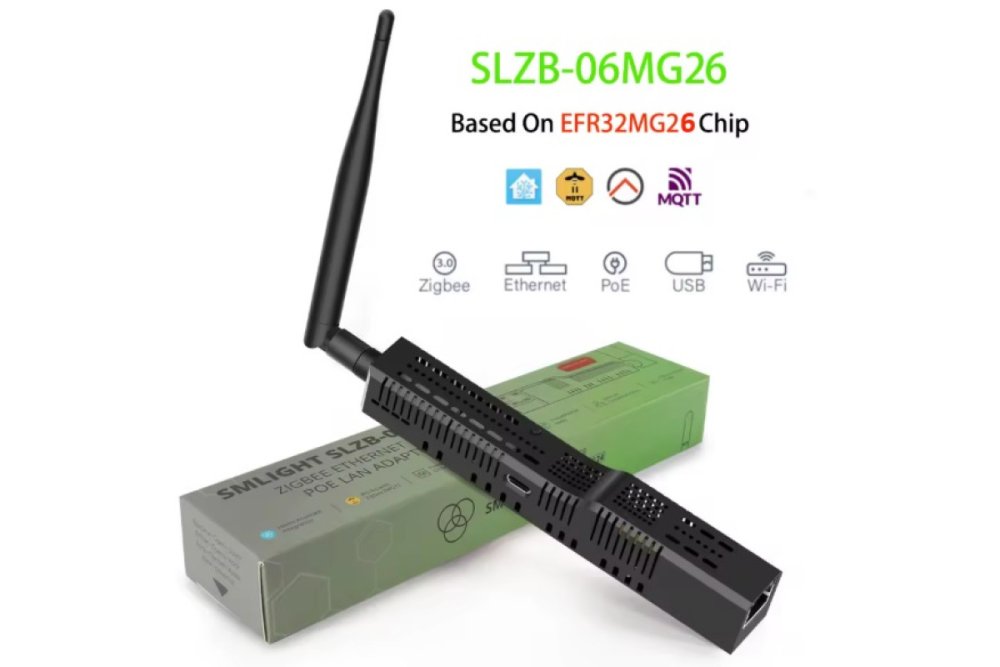
The SLZB-06 series connects via Ethernet, can be powered over PoE and also works over USB. Models ending in "U" are the current revision: according to SMLIGHT they are the same as the previous versions but with a newer ESP32-S3 processor, an extra 2 MB of memory, an updated Ethernet controller, USB host support, a built-in OpenThread Border Router and Bluetooth proxy support. The letters in the name tell you the radio chip: Mg24 and Mg26 are Silicon Labs, p7 and p10 are Texas Instruments. SMLIGHT describes the MG26 as having twice the memory of the MG24 and support for Thread 1.4.
Multi-radio: SLZB-MR…U
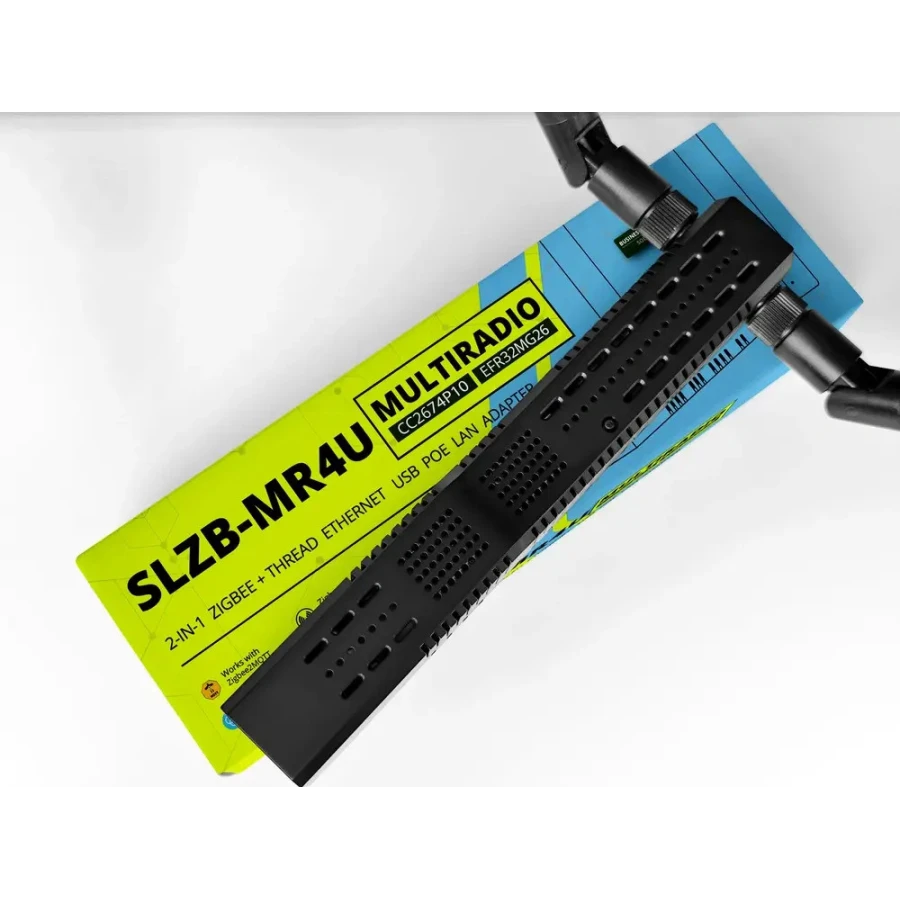
The SLZB-MR models contain two separate radio chips that run at the same time on separate channels. That lets one device be your Zigbee coordinator and your Thread border router for Matter devices, or run two independent Zigbee networks. The combinations differ: MR3U pairs TI CC2674P10 with Silicon Labs EFR32MG24, MR4U pairs CC2674P10 with EFR32MG26, and MR5U uses two EFR32MG24 chips.
Hub: SLZB-Ultima
The SLZB-Ultima goes beyond a coordinator. Besides a TI and a Silicon Labs radio it offers Wi-Fi and Bluetooth, an infrared transmitter and receiver, buttons and LEDs, a local automation engine and optional modules such as 4G/LTE, PoE and a microphone. SMLIGHT aims it at advanced users and system integrators. Its optional Z-Wave module is marked by SMLIGHT as not yet certified.
Zigbee and Thread at the same time?
Thread uses the same radio technology as Zigbee (IEEE 802.15.4), but a single radio chip should run only one of the two networks. Home Assistant's ZBT-2 lets you choose Zigbee or Thread and switch later, but explicitly does not support running both at once on the same adapter. SMLIGHT also notes that Home Assistant does not recommend "multiprotocol" mode on one chip. If you want Zigbee and Thread in parallel, you therefore need either two adapters or a multi-radio coordinator such as the SLZB-MR series, where each network has its own chip.
Before buying a second radio for Thread, check whether you already own a Thread border router. Home Assistant lists, for example, the Apple HomePod mini, Apple TV 4K and Google Nest Hub (2nd gen) as border routers that work with it.
Which coordinator is right for you?
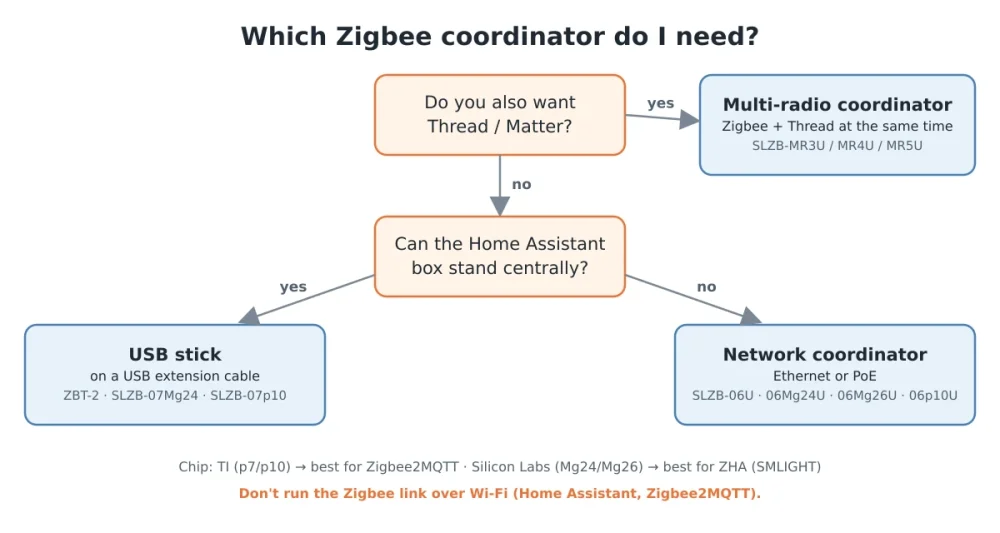
- Getting started, Home Assistant box can stand centrally: a USB stick – ZBT-2, SLZB-07Mg24 or SLZB-07p10 – on a USB extension cable.
- Home Assistant in a cabinet, basement or on a virtual machine: a network coordinator from the SLZB-06…U series, ideally powered via PoE.
- You mainly use Zigbee2MQTT: a TI-based model (p7/p10), which SMLIGHT rates best for Zigbee2MQTT.
- You mainly use ZHA: a Silicon Labs-based model (Mg24/Mg26), which SMLIGHT rates best for ZHA.
- You want Zigbee and Thread/Matter together: a multi-radio SLZB-MR3U, MR4U or MR5U.
- You want one box with IR, Bluetooth and extension modules: SLZB-Ultima.
All current models are in our coordinators category.
ZHA or Zigbee2MQTT in 2026?
ZHA is built into Home Assistant and is set up directly in the user interface – the easiest start. Zigbee2MQTT runs as a separate application and talks to Home Assistant through an MQTT broker; it has its own interface with detailed device settings and network map. Both support the coordinators described here. Whichever you choose, check your devices first: some cheaper devices need small adjustments. We show how that works in ZHA in our guides setting up a custom ZHA quirk and fixing a Tuya Zigbee sensor in ZHA.
Switching coordinators without re-pairing everything
Changing the coordinator no longer means pairing every device again. ZHA can migrate to a new adapter – even between Silicon Labs and TI radios – using a backup of the old one. Devices then rejoin on their own, which can take a few minutes; switching them off and on speeds this up. In some cases ZHA asks to permanently replace the new radio's IEEE address with the old one; if you decline, many devices have to be reconnected. Afterwards the old adapter is reset and should not be operated nearby unless its IEEE address is changed.
In Zigbee2MQTT, moving to an adapter of the same type (TI to TI, Silicon Labs to Silicon Labs) works without re-pairing once the IEEE address has been copied. Switching between TI and Silicon Labs may work without re-pairing, but Zigbee2MQTT states it is not officially supported – be prepared to re-pair devices that do not come back.
Frequently asked questions
Do I need a Zigbee coordinator if I have a Zigbee hub from another brand?
To connect Zigbee devices directly to Home Assistant, yes. A coordinator connected to Home Assistant gives you local control of all devices in one place, without the manufacturer's app or cloud.
Is a more expensive chip always better?
Not for a typical home. Newer chips add memory and headroom for very large networks, but any current coordinator handles a normal household. In our experience, placement, a USB extension cable and enough mains-powered routers matter more.
Can I use a network coordinator over Wi-Fi?
Home Assistant and Zigbee2MQTT both advise against it. Use Ethernet or PoE for network coordinators.
Does a coordinator work as a Thread border router?
Many do – but a single-radio coordinator runs either Zigbee or Thread. For both at once, use a multi-radio model or a second adapter.
Conclusion
Choose the connection first, then the chip. A USB stick is enough if your Home Assistant machine can sit centrally; Ethernet or PoE is the better choice when it can't; and a multi-radio coordinator saves a second device if you want Thread and Matter alongside Zigbee. For the chip, follow your integration: TI for Zigbee2MQTT, Silicon Labs for ZHA – knowing that both work with both. You'll find all models in our coordinators category, and our earlier article on the SMLIGHT SLZB-06 and its Zigbee hub feature covers the original model.