

 Česky (CZK)
 Deutsch (EUR)
 Français (EUR)
 Italiano (EUR)
 Polski (PLN)
 Slovensky (EUR)
 Magyar (HUF)
How to save on heating in 2026: smart radiator valves and Home Assistant

Updated: September 2026
Want to save on heating in 2026 without being cold at home? Smart thermostatic radiator valves in Home Assistant let you heat each room only when you actually use it: the living room in the evening, the bathroom in the morning, the home office during the day. When nobody is home, the whole house automatically drops to a lower temperature and warms up again before you return. This article shows two ways to set it up – the classic way with Home Assistant's built-in tools, and the more comfortable way with the Versatile Thermostat add-on.
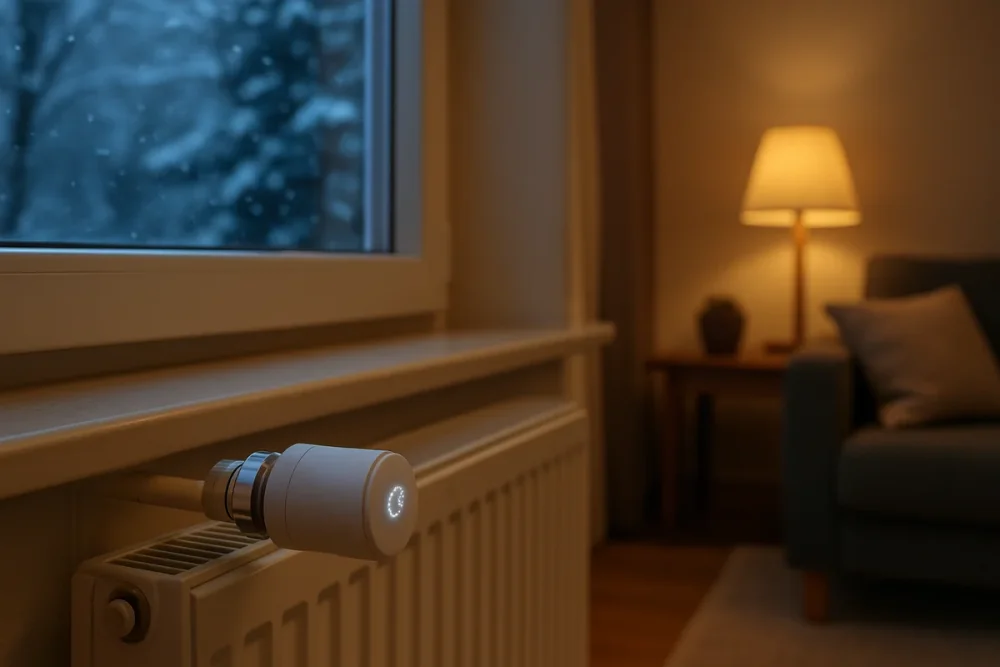
Why heat room by room and by presence?
Room-by-room heating saves energy because every room gets its own temperature and its own schedule instead of one temperature for the whole home. A classic room thermostat regulates by a single room, so the other rooms are often heated for nothing – the bedroom during the day, or the guest room all winter.
How much you save can only be estimated roughly. A frequently quoted rule of thumb says that lowering the temperature by 1 °C cuts heating costs by about 6 % (Czech Ministry of Industry and Trade's Chytrá volba portal; it applies to a whole building rather than a single flat). A British experiment with room-by-room heating control measured roughly 12 % gas savings compared with conventional control. The real result depends on your house, heat source and how often you are away – treat these numbers as a rough estimate, not a promise.
What you will need
Room-by-room heating needs four things: a smart valve on every radiator, a thermometer in the room, a Zigbee coordinator and Home Assistant. Optionally add window sensors.
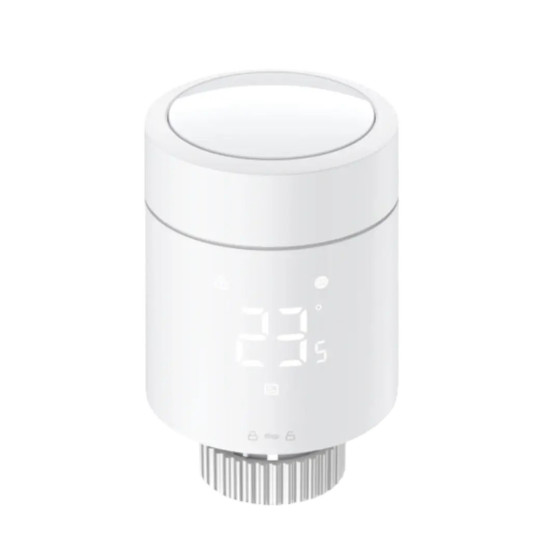
- Smart thermostatic radiator valve – replaces the ordinary head on the radiator. We offer the SONOFF TRV Gen2 (TRV-ZBT) and the Aqara W600 (WT-A03D); more models are in the smart radiator valves category.
- Room thermometer – the valve measures temperature right next to the hot radiator, so on its own it often "sees" a warmer room than it really is. Suitable sensors are in the temperature and humidity category.
- Zigbee coordinator – connects the valves and sensors to Home Assistant via ZHA or Zigbee2MQTT, see coordinators.
- Window sensor (optional) – lets you switch the heating off while airing the room.
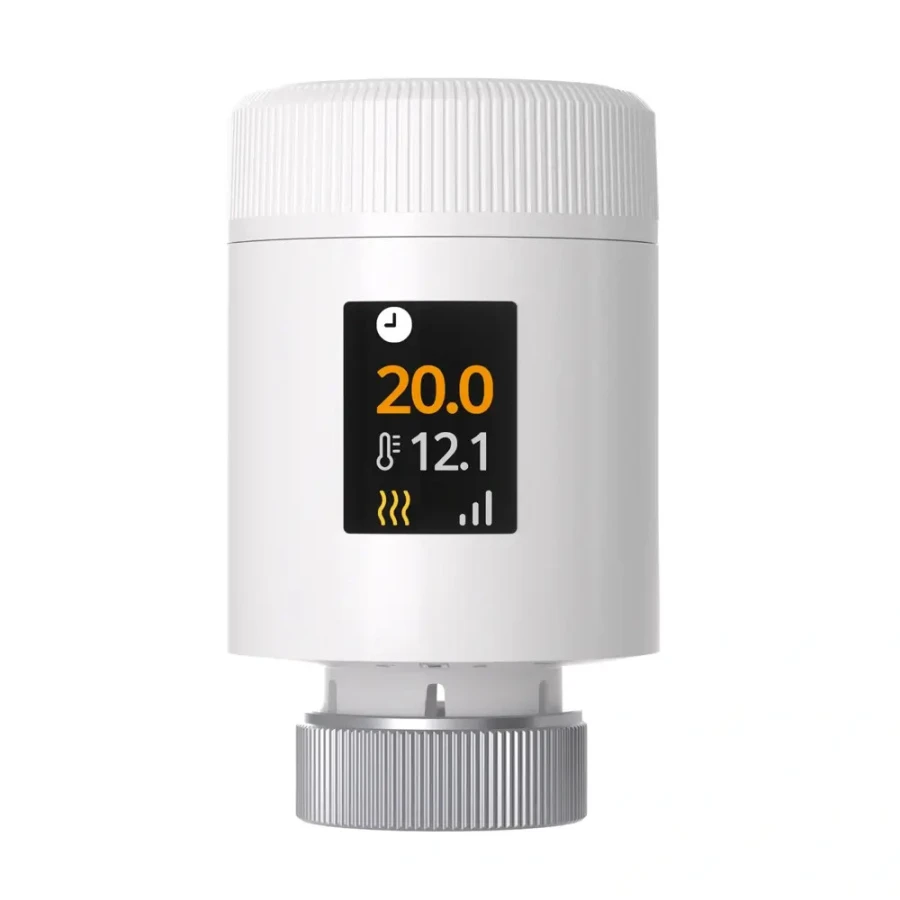
| SONOFF TRV Gen2 (TRV-ZBT) | Aqara W600 (WT-A03D) | |
|---|---|---|
| Connectivity | Zigbee | Zigbee or Thread (Matter), BLE |
| Power | 2× AA alkaline | 2× AA alkaline, up to 2 years (manufacturer estimate) |
| Valve connection | M30×1.5 + adapters included | M30×1.5 + 6 adapters (RA, RAV, RAVL, Giacomini, Caleffi, M28×1.5) |
| External thermometer | yes, external temperature input | yes, Aqara thermometer in Zigbee mode |
| Open window detection | yes, built in | yes, with a window sensor |
| Versatile Thermostat | external temperature sync | calibration offset |
How to plan temperatures for each room?
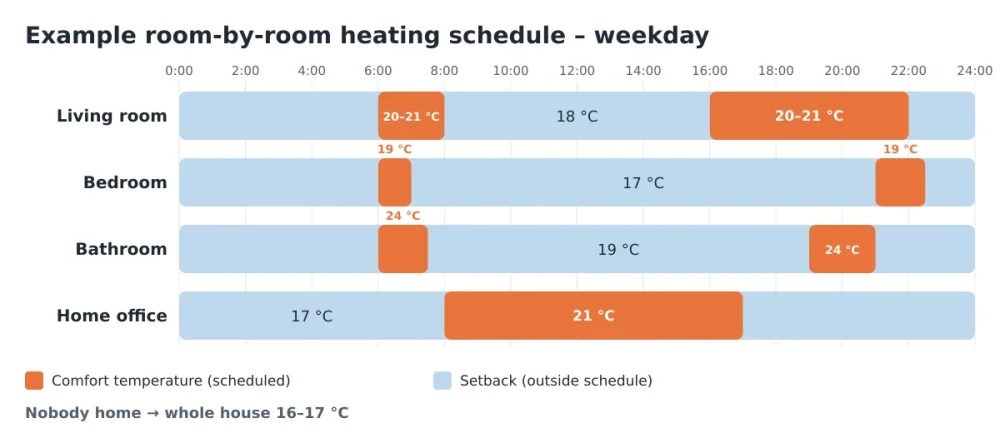
A good schedule follows when you actually spend time in a room and keeps a lower "setback" temperature outside those times. As starting values you can use the Chytrá volba recommendations: living rooms 20 °C, bathroom 24 °C and bedroom ideally 17 °C. An example schedule for a typical household:
| Room | When to heat | Scheduled temperature | Outside schedule |
|---|---|---|---|
| Living room | Mon–Fri 6:00–8:00 and 16:00–22:00, Sat–Sun 8:00–22:00 | 20–21 °C | 18 °C |
| Bedroom | morning and evening before bed | 19 °C | 17 °C |
| Bathroom | 6:00–7:30 and 19:00–21:00 | 24 °C | 19 °C |
| Home office | Mon–Fri 8:00–17:00 | 21 °C | 17 °C |
| Whole house – nobody home | automatically | – | 16–17 °C |
Don't overdo the setback: a room that has cooled down takes a long time to heat up again, and moisture can condense in cold corners. Set the start times a little earlier than you enter the room – the radiator needs time.
The classic way: schedules and automations in Home Assistant
Without any add-ons, Home Assistant handles both the schedule and the away mode with the Schedule helper and a few automations. Every valve paired via ZHA or Zigbee2MQTT appears in Home Assistant as a climate entity whose target temperature you can set. Entity names in the examples are only examples – replace them with your own.
A schedule for every room
For each room create one Schedule under Settings → Devices & services → Helpers, and add temperature: 21 to every time block in the block's advanced settings (Additional data). While a block is active, the schedule exposes this value as an attribute. The automation then sets the valve to the block's temperature whenever the schedule changes, or to the setback temperature outside the schedule:
alias: "Living room schedule"
triggers:
  - trigger: state
    entity_id: schedule.living_room
conditions:
  - condition: numeric_state
    entity_id: zone.home
    above: 0
actions:
  - action: climate.set_temperature
    target:
      entity_id: climate.living_room_trv
    data:
      temperature: "{{ state_attr('schedule.living_room', 'temperature') | float(18) }}"
The automation only runs when someone is home, so it does not override the away mode described below.
"Nobody home" mode
In Home Assistant the state of the zone.home zone is the number of people currently at home. When it drops to zero and stays there for 15 minutes, the automation sets all valves to the setback temperature. As soon as someone comes back, it re-runs the schedule automations of the individual rooms:
- alias: "Heating - nobody home"
  triggers:
    - trigger: numeric_state
      entity_id: zone.home
      below: 1
      for: "00:15:00"
  actions:
    - action: climate.set_temperature
      target:
        entity_id:
          - climate.living_room_trv
          - climate.bedroom_trv
          - climate.bathroom_trv
      data:
        temperature: 16.5

- alias: "Heating - someone is back"
  triggers:
    - trigger: numeric_state
      entity_id: zone.home
      above: 0
  actions:
    - action: automation.trigger
      target:
        entity_id:
          - automation.living_room_schedule
          - automation.bedroom_schedule
          - automation.bathroom_schedule
For Home Assistant to know where people are, you need the Home Assistant Companion app with location enabled on your phones, or another presence source.
Open windows and more accurate temperature
With a window sensor, an automation can switch the valve off after two minutes of airing and restore the schedule once the window is closed. The SONOFF TRV-ZBT can also use the temperature from an external thermometer instead of its own sensor: in Zigbee2MQTT set temperature_sensor_select to external and let an automation write the room temperature to external_temperature_input:
- alias: "Living room window open"
  triggers:
    - trigger: state
      entity_id: binary_sensor.living_room_window
      to: "on"
      for: "00:02:00"
  actions:
    - action: climate.set_hvac_mode
      target:
        entity_id: climate.living_room_trv
      data:
        hvac_mode: "off"

- alias: "Living room window closed"
  triggers:
    - trigger: state
      entity_id: binary_sensor.living_room_window
      to: "off"
  actions:
    - action: climate.set_hvac_mode
      target:
        entity_id: climate.living_room_trv
      data:
        hvac_mode: heat
    - action: automation.trigger
      target:
        entity_id: automation.living_room_schedule

- alias: "Living room external temperature to TRV"
  triggers:
    - trigger: state
      entity_id: sensor.living_room_temperature
  actions:
    - action: number.set_value
      target:
        entity_id: number.living_room_trv_external_temperature_input
      data:
        value: "{{ states('sensor.living_room_temperature') }}"
Versatile Thermostat: everything in one add-on
Versatile Thermostat (VTherm) is a free Home Assistant add-on that turns each valve into a full thermostat with presets, window and presence detection – without writing automations. It is installed via HACS (project on GitHub) and configured in the UI; for smart radiator valves you use the over_climate type, which controls an existing climate entity.
- Presets Eco, Comfort and Boost with their own temperatures for every room.
- Presence: a person entity is enough as the presence sensor. For each preset you also set an "away" temperature that VTherm switches to when nobody is home.
- Open window: based on a window sensor, or automatically from a rapid temperature drop.
- Motion in the room: with a motion sensor a room can heat to comfort temperature only while someone is in it.
- External thermometer and self-regulation: VTherm adjusts the temperature sent to the valve so the room really reaches the target, or passes the room thermometer's reading to the valve.
- Central control of all thermostats at once and boiler control.
For a weekly schedule, VTherm works together with the Scheduler add-on, which the VTherm author also recommends: in it you set for each room when the Comfort preset applies and when Eco does. When nobody is home, the "away" temperatures are used automatically.
Classic setup or Versatile Thermostat?
For a few rooms and a simple schedule, Home Assistant's built-in tools are enough. If you want presence, windows, motion and precise regulation across more rooms, Versatile Thermostat saves a lot of manual work.
| Schedule + automations | Versatile Thermostat | |
|---|---|---|
| Installation | nothing extra | HACS (+ Scheduler for schedules) |
| Room schedules | Schedule helper | Scheduler with presets |
| Away mode | own automation | built in, temperature per preset |
| Open window | own automation | built in, even without a sensor |
| Regulation by room thermometer | own automation | built-in self-regulation |
| Best for | 2–3 rooms, you like writing things yourself | whole house, more features without YAML |
What to watch out for
- Thermometer placement: put it where you spend time, not next to the radiator or in direct sunlight.
- Heat pump: according to a University of Salford test, at least one radiator must stay open or the system needs a bypass valve. Otherwise the heat pump may suffer from insufficient flow.
- VTherm compatibility: the older Aqara E1 (SRTS-A01) does not report whether it is heating, so its heating state in VTherm is inaccurate. The VTherm documentation lists direct valve opening control for the original SONOFF TRVZB; for the TRV Gen2 external temperature sync is documented.
- Batteries: both valves use two AA alkaline cells. Battery life depends mainly on how often the valve moves – frequent temperature changes drain the batteries faster.
Frequently asked questions
How much will I save on heating?
Roughly single digits to low tens of percent. Each degree lower saves about 6 % of heating costs, and room-by-room control saved about 12 % of gas in a British experiment. Households that are away during the day and have rooms used only occasionally save the most.
Does it work without internet?
Yes. The valves talk to your Home Assistant directly over Zigbee, so schedules and automations run locally. Internet is only needed for remote access and for phone location outside your home network.
Do I have to use Versatile Thermostat?
No. You can handle room schedules and the away mode with Home Assistant's built-in tools. Versatile Thermostat pays off mainly in a larger house or when you want window and motion detection and more precise regulation without writing your own automations.
Can I still control the valve by hand?
Yes, both valves have a display and controls on the device. A manual change, however, only lasts until the next schedule change.
Conclusion
If you are just starting, fit a smart valve and a thermometer in the two or three most used rooms first, give them a schedule and add the "nobody home" mode – that is the simplest path to savings. When you want more rooms, window handling and more precise regulation, move to Versatile Thermostat. You will find valves for both approaches in the smart radiator valves category, and we write about savings with underfloor heating in the article Inefficient use of underfloor heating.