

 Česky (CZK)
 Deutsch (EUR)
 Français (EUR)
 Italiano (EUR)
 Polski (PLN)
 Slovensky (EUR)
 Magyar (HUF)
Preventing mould with Home Assistant: measure humidity and ventilate right
Updated: September 2026
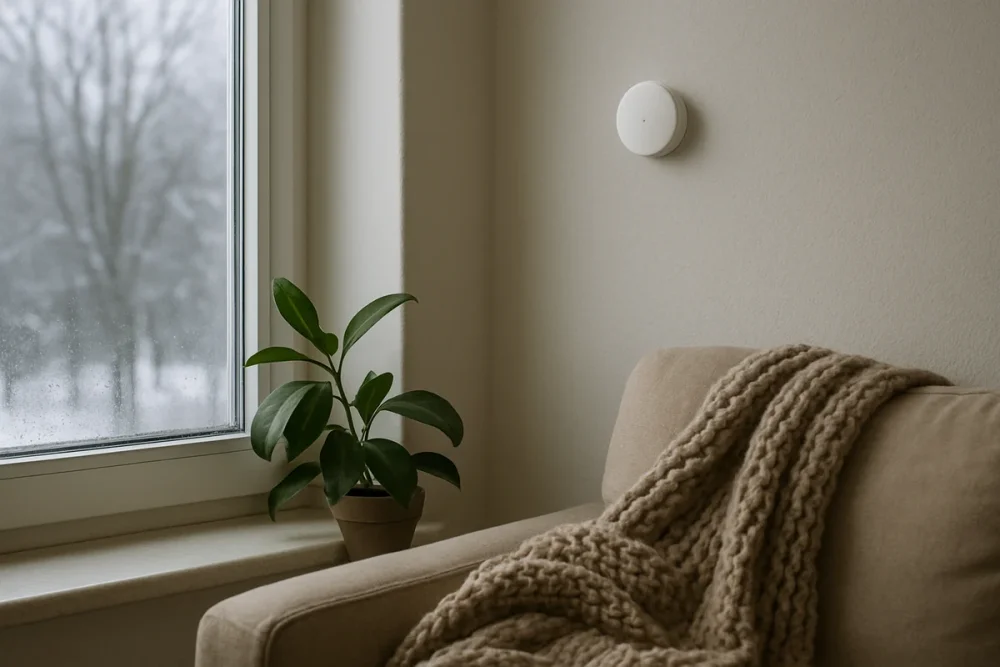
Mould grows where moisture meets a cold surface – usually in a corner of an outer wall or behind a wardrobe, long before you see it. The German Environment Agency (Umweltbundesamt) recommends keeping relative humidity between 40 and 60 percent and, over the long term, not above 65 to 70 percent. With a few humidity sensors and Home Assistant you can do more than read a number: you can estimate the humidity at the coldest spot of the wall, know when ventilating actually helps and get a reminder before mould has a chance.
When does mould form?
Mould needs moisture on a surface. The Umweltbundesamt names clear limits: indoor air should stay between 40 and 60 percent relative humidity to keep the mould risk as low as possible, and over the long term a hygrometer should not show more than 65 to 70 percent. If humidity directly at the wall rises above 80 percent, it advises short burst ventilation several times a day as an immediate measure. That last number is the important one – because the wall is usually much colder than the room.
Why the cold wall matters more than the room
Cold air can hold less water than warm air. When room air cools down at an outer wall, a window reveal or a corner, its relative humidity rises even though the amount of water stays the same. A simple calculation shows the effect: air at 20 °C and 55 % relative humidity reaches about 80 % when it cools to 14 °C at a cold wall – exactly the level at which the Umweltbundesamt recommends immediate action. A sensor in the middle of the room shows a comfortable 55 % and misses the problem.
That is why the Umweltbundesamt also warns against keeping windows tilted open for hours: it cools the walls and drastically increases heating costs. Short, wide-open burst ventilation exchanges the air without chilling the walls.
What you need
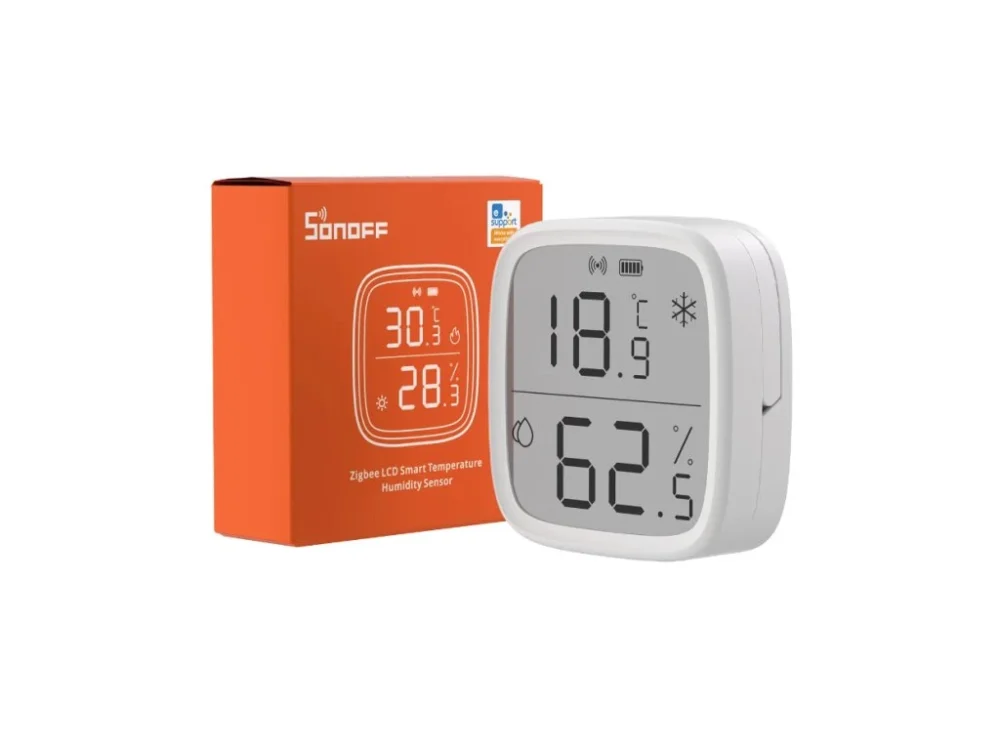
- A temperature and humidity sensor per room – for example the SONOFF SNZB-02D with a display and a stated accuracy of ±0.2 °C and ±2 % RH. For bathrooms the SONOFF SNZB-02WD in an IP65 housing is designed for humid environments.
- An outdoor temperature and humidity sensor – such as the Tuya IP65 outdoor hygrometer. Without outdoor values Home Assistant cannot tell whether ventilating will help.
- Optional window sensors from our door and window sensors category – for reminders when a window has been open too long.
- Home Assistant with a Zigbee coordinator. All sensors are in our temperature and humidity category.
Where to place the sensors
Place the room sensor where you live, at about head height, away from radiators, direct sunlight and the kitchen stove – otherwise it measures the heat source instead of the room. For the mould check it helps to know your room's weak spot: an outer-wall corner, the area behind a wardrobe or the window reveal. You don't need a sensor there permanently; Home Assistant's Mold Indicator can estimate it (see below). The outdoor sensor belongs in a shaded, sheltered place on the north side if possible, so that the sun doesn't heat it.
Before relying on the readings, put all sensors next to each other for a few hours. If one shows noticeably different values, most integrations let you set a small offset.
The Mold Indicator: humidity at the coldest spot
Home Assistant has a built-in helper for exactly this problem. The Mold Indicator uses the indoor temperature, indoor humidity and outdoor temperature to estimate the relative humidity at the coldest point of the room. According to the Home Assistant documentation, values above about 70 % may lead to mould growth, and at 100 % water condenses on the surface.
- Go to Settings → Devices & services → Helpers → Create helper → Mold Indicator.
- Select the room's temperature and humidity sensors and the outdoor temperature sensor.
- Enter the calibration factor.
The calibration factor describes how cold your weak spot gets compared with the room. On a cold day, measure the surface temperature of the critical spot (for example with an infrared thermometer) and note the indoor and outdoor temperature at the same moment. The factor is (indoor temperature − outdoor temperature) ÷ (temperature at the critical spot − outdoor temperature). Example: 20 °C inside, 0 °C outside and 14 °C in the corner give (20 − 0) ÷ (14 − 0) ≈ 1.43.
Ventilate at the right moment: absolute humidity
Ventilating only removes moisture if the outside air contains less water than the air inside. Relative humidity cannot tell you this, because it depends on temperature: 90 % at 5 °C outside is about 6.1 grams of water per cubic metre, while 50 % at 20 °C inside is about 8.6 g/m³ – so even "wet" winter air dries the room. In summer or in the cellar it can be the other way round, which is why the Umweltbundesamt recommends ventilating cellars in summer at night or in the cool morning hours.
Home Assistant can calculate absolute humidity with a template sensor. Add the following to configuration.yaml and replace the entity names with your own:
template:
  - sensor:
      - name: "Living room absolute humidity"
        unit_of_measurement: "g/m³"
        state_class: measurement
        availability: >
          {{ has_value('sensor.living_room_temperature')
             and has_value('sensor.living_room_humidity') }}
        state: >
          {% set t = states('sensor.living_room_temperature') | float %}
          {% set rh = states('sensor.living_room_humidity') | float %}
          {{ (6.112 * e ** (17.67 * t / (t + 243.5)) * rh * 2.1674
              / (273.15 + t)) | round(1) }}
      - name: "Outdoor absolute humidity"
        unit_of_measurement: "g/m³"
        state_class: measurement
        availability: >
          {{ has_value('sensor.outdoor_temperature')
             and has_value('sensor.outdoor_humidity') }}
        state: >
          {% set t = states('sensor.outdoor_temperature') | float %}
          {% set rh = states('sensor.outdoor_humidity') | float %}
          {{ (6.112 * e ** (17.67 * t / (t + 243.5)) * rh * 2.1674
              / (273.15 + t)) | round(1) }}
Automations that prevent mould
With these sensors, three automations cover most situations: a hint when humidity is high and ventilating helps, a warning when the Mold Indicator reports a risk at the wall, and a reminder when a window stays open too long in cold weather.
- alias: "Living room: ventilating helps now"
  triggers:
    - trigger: numeric_state
      entity_id: sensor.living_room_humidity
      above: 60
      for: "00:10:00"
  conditions:
    - condition: template
      value_template: >
        {{ states('sensor.outdoor_absolute_humidity') | float(99)
           < states('sensor.living_room_absolute_humidity') | float(0) - 1 }}
  actions:
    - action: notify.mobile_app_your_phone
      data:
        message: >
          Living room humidity is {{ states('sensor.living_room_humidity') }} %.
          The outside air is drier – open the windows wide for 5 minutes.

- alias: "Mould risk at the outer wall"
  triggers:
    - trigger: numeric_state
      entity_id: sensor.living_room_mold_indicator
      above: 70
      for: "01:00:00"
  actions:
    - action: notify.mobile_app_your_phone
      data:
        message: >
          Humidity at the coldest wall spot is {{ states('sensor.living_room_mold_indicator') }} %.
          Ventilate briefly and keep the room warm.

- alias: "Window open too long"
  triggers:
    - trigger: state
      entity_id: binary_sensor.living_room_window
      to: "on"
      for: "00:15:00"
  conditions:
    - condition: numeric_state
      entity_id: sensor.outdoor_temperature
      below: 10
  actions:
    - action: notify.mobile_app_your_phone
      data:
        message: "The living room window has been open for 15 minutes – close it so the walls don't cool down."
The first automation only notifies you if the outside air is at least 1 g/m³ drier – otherwise ventilating would not dry the room. Replace notify.mobile_app_your_phone with your own notification service.
Ventilation and heating rules from the Umweltbundesamt
- In the cold season, burst-ventilate 2–3 times a day for about 5 minutes per room with the windows fully open; in the warm season 10–20 minutes.
- Ventilate the bedroom for 5–10 minutes after getting up, and the kitchen and bathroom for 5–10 minutes during and after cooking or showering.
- Open opposite windows at the same time for cross-ventilation.
- Bedrooms should preferably not drop below 16 °C.
- Keep doors between warm and cool rooms closed – warm, moist air cools down in the cool room and its humidity rises.
- Don't block radiators, and lower the temperature at night only after ventilating.
If you control your radiators with Home Assistant, you can combine this with the heating schedules from our article on saving on heating with smart radiator valves.
Frequently asked questions
What humidity is too high?
According to the Umweltbundesamt, room air should stay between 40 and 60 % and not exceed 65 to 70 % over the long term. Directly at the wall, more than 80 % calls for immediate burst ventilation.
Is one sensor per apartment enough?
Not really. Bathroom, bedroom and rooms with outer walls behave differently. At least one sensor in each critical room plus one outdoor sensor gives Home Assistant what it needs.
Does the Mold Indicator replace a measurement at the wall?
It is an estimate based on your calibration factor. Measure the critical spot once on a cold day to calibrate it – after that the helper follows the conditions automatically.
Why does the humidity rise when I lower the heating?
Because cooler air holds less water: with the same amount of moisture, the relative humidity goes up. That's why the Umweltbundesamt recommends ventilating before lowering the temperature and not letting rooms cool down too much.
Conclusion
Mould prevention starts with measuring in the right places. A sensor in each critical room, one outdoors and Home Assistant's Mold Indicator show you the risk at the cold wall, not just in the room air. Absolute humidity tells you when ventilating really helps, and a few simple automations remind you before moisture becomes a problem. You'll find suitable sensors in our temperature and humidity category.